Lead Capture Add-on

SmartSearchWP
In-chat lead capture

Addon included in Premium version.
(Premium version: €49.99/year)

Turn your engaged visitors into qualified leads with SmartSearchWP

Want to turn chatbot engagement into actionable leads? With the Lead Capture add-on, display an email form and GDPR consent form directly in the widget, triggered as soon as an engagement threshold is reached—without interrupting the conversation.

Why use the Lead Capture add-on?

With this tool, you can:

  • 🔒 In-chat form: Non-blocking email form integrated into the SmartSearchWP widget.
  • 📊 Configurable thresholds (OR): Triggered after N visitor messages, chat duration, or detected keywords.
  • 🎯 GDPR Consent: Required checkbox with text that can be customized by region.
  • 📱 Native admin list: Search, local filters, pagination, filtered CSV export.
  • 🧩 Chat Logs Link: Each lead is linked to the conversation via a unique_id.

Main features

  • OR Thresholds: Visitor messages, time spent in chat, or keywords—the first criterion met triggers the form.
  • Non-blocking form: The conversation continues; the visitor can choose to ignore or fill out the form.
  • Email Notification: Option to receive an email whenever a new lead is captured.
  • Anti-spam: Honeypot and rate limiting on the REST endpoint wdgpt-lead-capture/v1/submit.
  • SmartSearchWP 2.8.1+ Prerequisites: wdgpt_chatbot_front_config front-end hooks and a dedicated UI slot.
  • Dedicated admin interface: SmartSearchWP → Lead Capture (Settings + Lead List).
  • Premium add-on: Included with the SmartSearchWP Premium subscription.

How do I get the extension?

The Lead Capture add-on is a premium extension of the SmartSearchWP plugin.
You can activate it directly from the Add-ons tab of the SmartSearchWP plugin in your WordPress dashboard.

Access to the extension ?

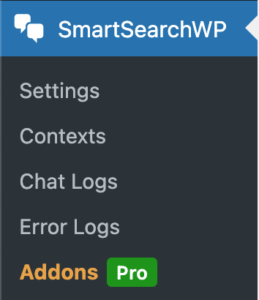
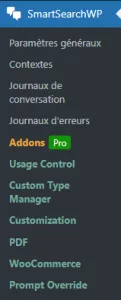
Once the extension is activated, a new “Lead Capture ” tab appears in the SmartSearchWP menu, accessible from the admin interface.
There, you can enable or disable the override and edit the prompt used by the chatbot.

SmartSearchWP
: In-chat lead capture

Addon included in Premium version.
(Premium version: €49.99/year)

User guide

It’s very simple… just follow the guide 😉

Buy or activate the extension

Go to the Add-ons tab and enable Lead Capture.

Addon configuration

  • Go to the WordPress admin panel >: SmartSearchWP > Add-ons > Lead Capture.
  • Activate the add-on, then go to the new “Lead Capture” tab in the plugin menu.
  • Select the desired restrictions for each criterion (roles, pages, post types, devices).
  • Save your changes. View the captured leads in the Leads tab (CSV export available).

Application examples

1. Agencies and Lead Generation

Offer a non-blocking email form after a few interactions—ideal for conversion-focused websites.

2. E-commerce and Qualification

Capture visitors who ask product questions or request a quote after engaging in a chat.

3. B2B and Contact Requests

Qualify B2B prospects who are exploring your offerings before they fill out a standard form.

4. Built-in GDPR Compliance

Configurable GDPR consent form — text that can be customized to match your privacy policy.

SmartSearchWP
: In-chat lead capture

Addon included in Premium version.
(Premium version: €49.99/year)

Hello, may I help you?
SmartSearch
Chatbot Image Hello, I am SmartSearchWP, how can I help you?

Powered by artificial intelligence, the bot can make mistakes. Consider checking important information.